Detect
Call timing and supported phone sensors help identify a possible pocket call.
PocketCall for Android
Whether you call them butt dials, bum calls, pocket dials, or pocket calls, PocketCall spots possible accidental outgoing calls and helps you recover fast.
Available worldwide · 34 interface languages
✓ Built for repeat pocket callers ✓ No account required ✓ Language-aware recovery
 PocketCall
POSSIBLE POCKET CALL
Alex Morgan · 4 seconds
Protecting your sanity from
accidental pocket calls
For pockets with a mind of their own
If accidental calls are a regular part of your life, PocketCall reduces the awkward scramble after each one—without taking over.
Call timing and supported phone sensors help identify a possible pocket call.
A clear recovery alert appears while the moment is still fresh.
Call back or open a prepared SMS to review and send yourself.
The moment after
Do you call back and explain—or send a quick apology? PocketCall takes the panic out of that “what do I do?” moment with two clear choices: open a prepared SMS or call them back.
Explore PocketCallCall back, prepare an SMS, or dismiss the alert in seconds.
Keep a private on-device record of possible accidental calls.
Choose Personal, Business, or General recovery messages with Pro.
Pro adds custom sounds, vibration patterns, and short-call timing.
Use PocketCall in English and 33 additional languages, including right-to-left scripts.
Built-in recovery messages follow the app language. Your saved custom messages stay unchanged.
See PocketCall in action
Spot the alert, choose the right response, and fine-tune how recovery works for you.
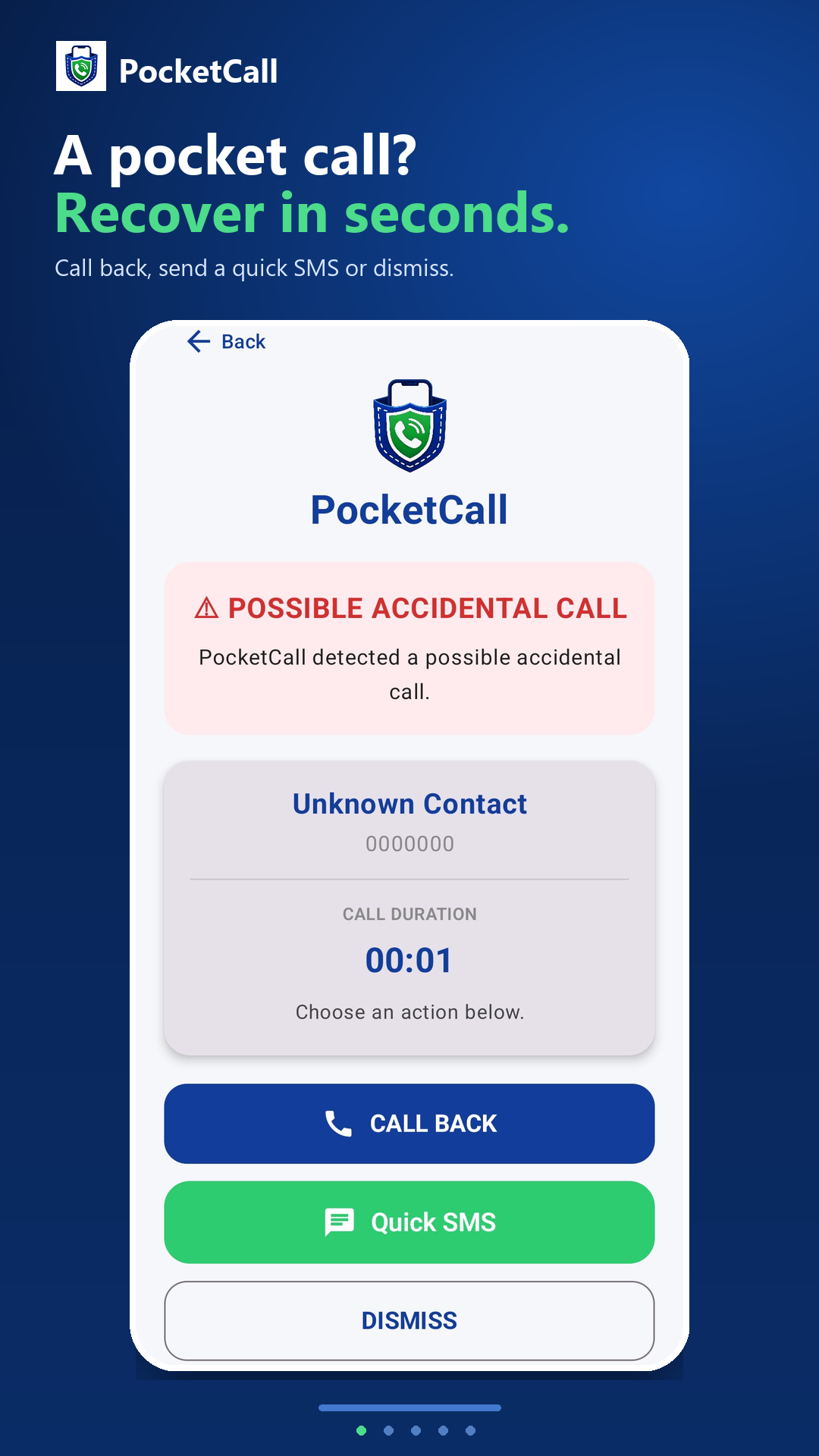
Call back, open a prepared SMS, or dismiss the alert.
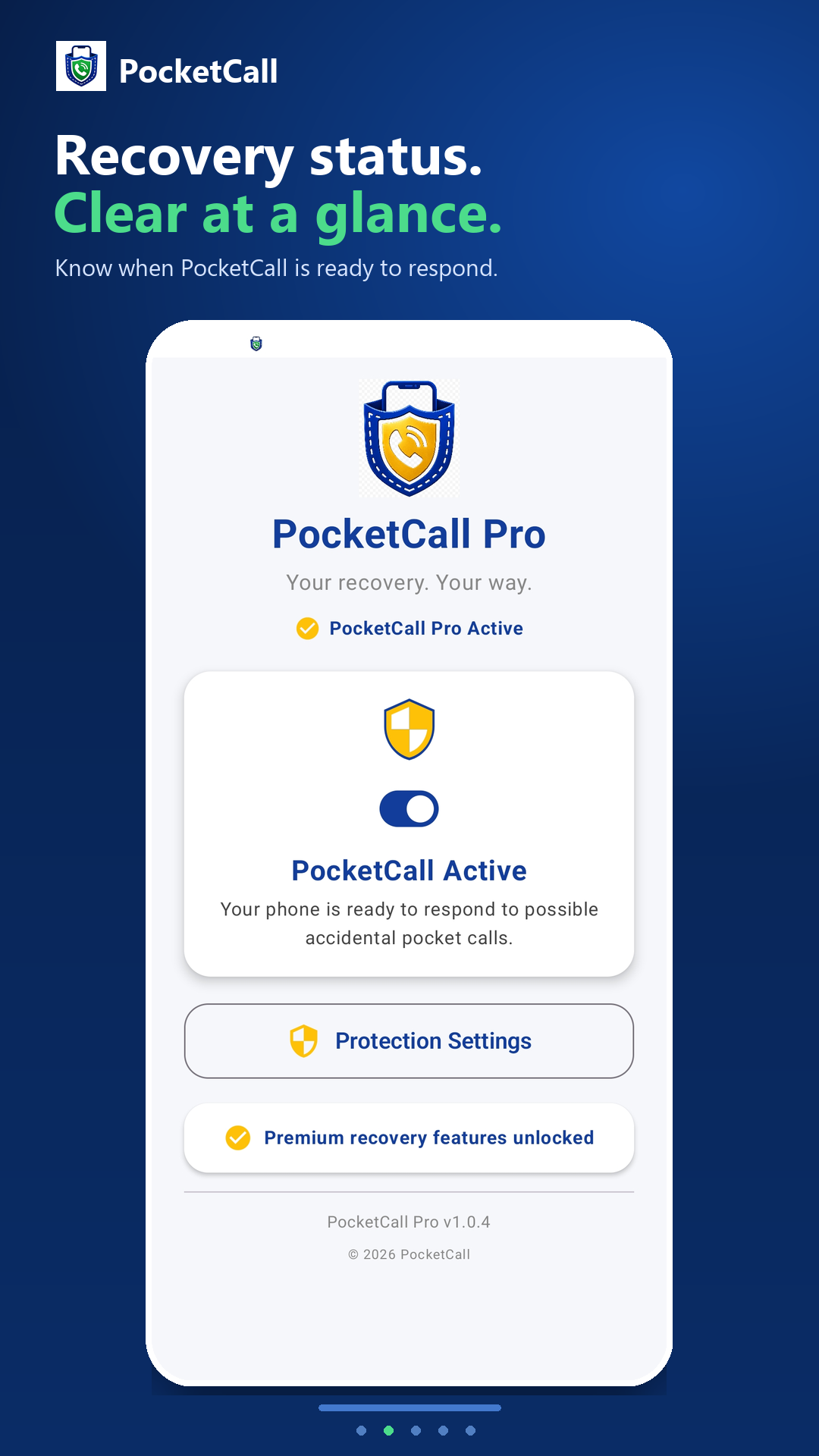
See your protection status clearly from the Home screen.
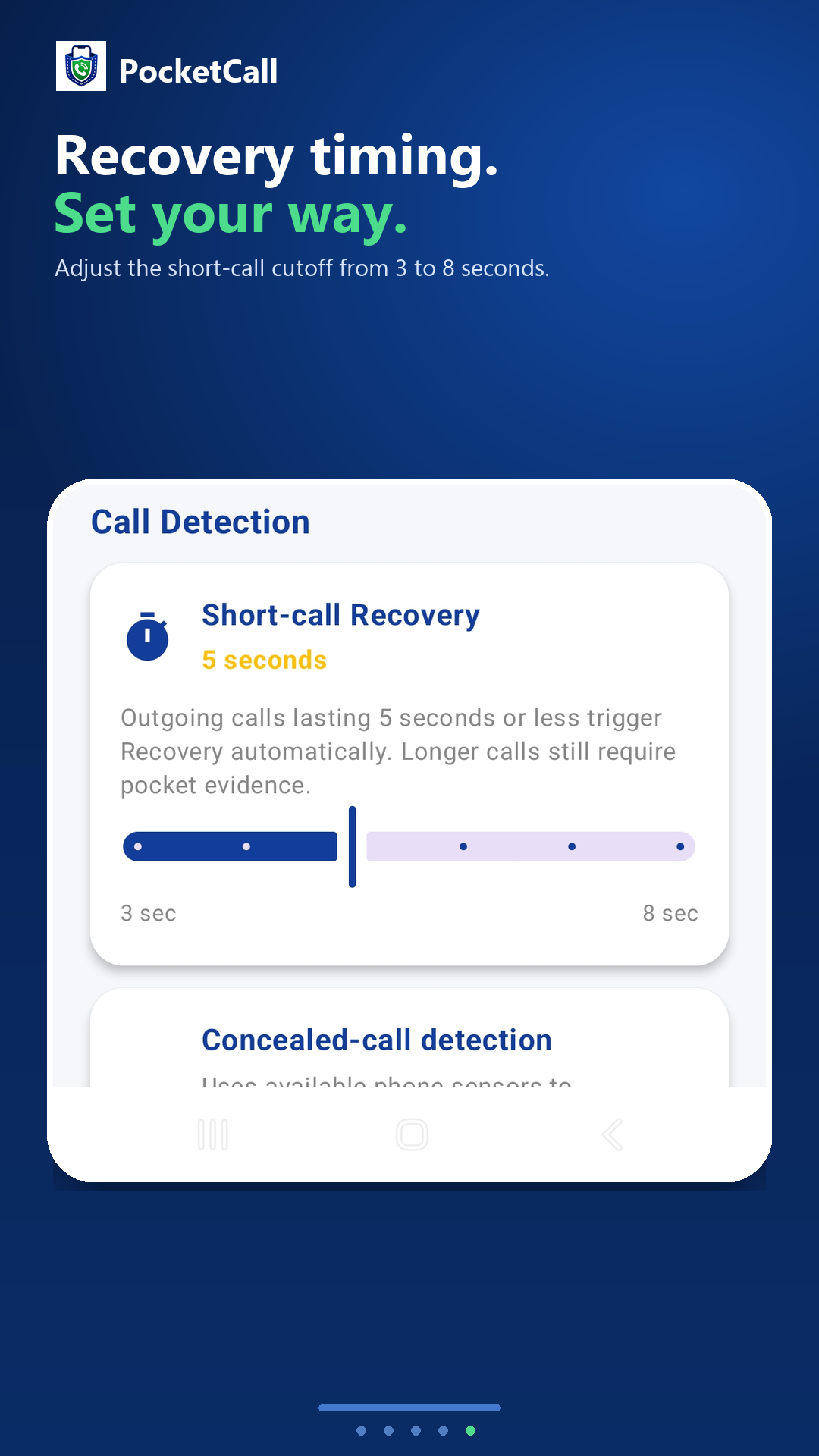
Pro adds message, contact, timing, sound, and vibration controls.

Privacy isn’t a setting
Detection signals, contact matching, recovery messages, recordings, and history are processed and stored on your device. PocketCall does not run an app server or upload that information to us.
Read our privacy policyWhy choose PocketCall Pro?
Pro gives you more control over which calls trigger Recovery, how you are alerted, and what your recovery message says.
Set your own timing
Choose a 3–8 second cutoff. Calls at or below it open Recovery automatically, so PocketCall fits the way you use your phone.
Stay in control of detection
Turn sensor-assisted detection for longer pocket or bag calls on or off. Your automatic short-call cutoff keeps working either way.
Sound like yourself
Create General, Personal and Business / Work messages, ready for the different people you might accidentally call.
Send the right apology
Match contacts with the right message profile, or let PocketCall choose automatically when you recover.
Choose what gets your attention
Pick or record a recovery sound and select a vibration pattern that you will notice without guesswork.
Keep messages personal
Pro removes the Free version’s required “Sent by PocketCall.” footer, leaving your recovery message clean and unbranded.
Private by design: your detection signals, contact matching, messages, recordings and call history are processed and stored on your device.
Free or Pro
Core recovery is free. Pro is a one-time purchase that unlocks more ways to personalise it.
PocketCall Free
Everything you need to respond after a possible accidental call.
PocketCall Pro
One-time purchase · Lifetime access · No subscription
PocketCall Pro
Fine-tune detection, create the right message for every contact, remove the required PocketCall footer, and choose alerts you will notice.
Purchase securely inside PocketCall through Google Play. Google Play confirms the final price in your local currency before payment, and an existing purchase can be restored.
Important detection notice
PocketCall detects short calls and may detect some concealed pocket dials when supported by your device’s sensors and settings. It cannot guarantee that every pocket call will be detected or that every accidental call can be recovered from.
Device capabilities, permissions, system settings, call duration, and the circumstances of each call can affect detection. Check your call history if you think an accidental call may have occurred.
For butt dials, bum calls & pocket dials
 Android · Available worldwide on Google Play